Treat ebook protections as ways to limit unauthorized sharing and respond to leaks, not as a promise that no copy can ever circulate. Choose controls to fit how you sell: check your retailer or delivery platform’s access options, consider watermarking when tracing a leaked copy matters, and decide how you will verify and report suspected infringement. Test the reader experience before adding restrictions.
- Utilize DRM Services: Digital Rights Management (DRM) solutions can control access and use through a supported distribution system; available restrictions vary by provider and file format.
- Implement Watermarking: Use visible or invisible watermarks to help trace a leaked copy; a watermark does not stop copying, and personal details should not be embedded without considering privacy.
- Issue Copyright Notices: Use a copyright notice to identify the rights holder and state the terms of use; it does not replace registration or enforcement steps where those apply.
- Use PDF Format: Remember that PDF is a file format, not protection by itself; add access or permission controls only when your distribution tools support them and the restrictions fit your readers.
- Enforce Editing Restrictions: Use supported permissions to limit specific actions where needed, but weigh restrictions against legitimate reading, accessibility, and device compatibility.
- Secure with Passwords: Use passwords to control access where appropriate, but do not treat a password as a way to prevent onward sharing after a reader opens the file.
- Monitor with Google Alerts: Use Google Alerts to receive notifications about new Google Search results for selected topics; it is not a complete piracy-monitoring system.
- Deploy License Keys and Password Protection: Check whether a distribution platform’s license keys or account controls limit access, transfers, and account recovery; their protections vary by system.
- Register and Enforce Copyright and Trademarks: Check the copyright rules in your country; registration and enforcement requirements vary, while trademarks protect brand identifiers rather than the book text itself.
- Actively Monitor and Remove Unauthorized Content: Verify suspected copies, preserve their URLs and relevant records, and report them to the appropriate platform or host. The U.S. DMCA notice-and-takedown process has specific requirements and does not guarantee an immediate outcome.
Start with the distribution controls that fit your sales model, then add a separate way to look for suspected leaks and respond. No single setting does both jobs, so test the restrictions with legitimate readers and keep a clear record of the work and its ownership.
Related video from YouTube
1. Utilize DRM Services
Digital Rights Management (DRM) controls what recipients can do with an ebook through a supported reader or delivery system. Rules vary by provider and format, so check what buyers can read, copy, print, download, or transfer before choosing a service.
How DRM Works
DRM solutions offer various features to safeguard eBooks:
| Feature | Description |
|---|---|
| Encryption | Encrypting eBook files to make them unreadable without proper decryption keys. |
| Access Controls | Restricting access to authorized users only, using username and password requirements. |
| Usage Limitations | Defining usage restrictions, such as limiting the number of devices on which an eBook can be accessed. |
| Watermarking | Embedding invisible watermarks into eBooks to deter users from incurring in copyright infringement. |
Choosing a DRM Service
Compare current format and device support, transfer and offline-reading rules, and the steps buyers need to take to access a book. For examples of ebook technologies and services, see Adobe Content Server, Readium, and EditionGuard; these are examples to research, not endorsements or a complete list.
DRM can add access and use controls, but it does not guarantee that a copy cannot be shared. Weigh restrictions against reader convenience, especially when detecting unauthorized distribution of digital textbooks and other high-value educational materials.
2. Implement Watermarking Techniques
Watermarking is a subtle yet effective way to deter eBook piracy. By embedding a visible or invisible watermark into your eBook, you can track the source of unauthorized copies and identify the original purchaser.
Types of Watermarking
| Type | Description |
|---|---|
| Visible Watermarking | Embeds a noticeable watermark into the eBook, often containing the purchaser’s name or email address. |
| Invisible Watermarking | Inserts a hidden watermark into the eBook, which can only be detected using specialized software. |
How Watermarking Works
A distributor may embed an order-specific code or other identifier that can be matched to a purchaser in a protected record. Avoid putting personal details such as an email address in a shareable file without considering privacy. A watermark can help trace a copy when it is detectable, but it does not prevent redistribution.
Benefits of Watermarking
Watermarking offers several advantages in protecting your eBooks from piracy:
- Deters unauthorized sharing and distribution
- Enables tracking of pirated copies back to the original purchaser
- Provides evidence for legal action in cases of copyright infringement
- Can be used in conjunction with DRM services for added protection
By implementing watermarking techniques, you can effectively safeguard your intellectual property and maintain control over your eBooks in the digital realm.
3. Issue Official Copyright Notices
A copyright notice identifies the rights holder and can state how an ebook may be used. It does not create copyright by itself or guarantee that a suspected infringement will be resolved. In the United States, copyright generally begins when an original work is created and fixed; see the U.S. Copyright Office’s explanation.
Why Copyright Notices Matter
A copyright notice provides several benefits:
- Clear notice: It identifies the rights holder and communicates the stated terms of use.
- Ownership information: It gives readers a point of contact or rights claim, but does not itself establish ownership or replace registration requirements.
- Declaration of rights: It allows you to declare what rights you wish to maintain.
Creating a Copyright Notice
A copyright notice typically includes:
| Element | Description |
|---|---|
| Copyright symbol | © |
| Year of publication | The year your eBook was published |
| Name of the copyright owner | Your name or the name of your publishing company |
| Statement of rights | A statement declaring what rights you wish to maintain |
Here’s an example of a copyright notice:
"Copyright © [Year of publication] [Your Name]. All rights reserved. No part of this publication may be reproduced, distributed, or transmitted in any form or by any means, without the prior written permission of the publisher."
A notice can identify the rights holder and state terms of use, but it does not itself establish ownership or ensure enforcement.
4. Use PDF Format for Ebooks
PDF can preserve a book’s layout, but changing a file to PDF does not itself stop copying. If you distribute PDFs, use password or permission settings only when your chosen tools support them and the restrictions suit your readers; test access on the devices they use.
Compatibility and Accessibility
PDFs can be accessed on various devices and platforms, making it an ideal format for ebook distribution. Readers can easily view and interact with your ebook on their preferred device.
Security Features
Depending on the software and settings, PDF tools can offer:
| Feature | Description |
|---|---|
| Data Encryption | Can restrict opening to users with the required credentials when correctly configured. |
| Passwords and Permissions | May restrict printing, editing, or copying in compatible software. |
| Access Controls | Use a delivery service for account-level controls; a PDF file does not manage reader accounts by itself. |
Preserving Layout and Design
When you convert your ebook to PDF, the layout and design of your content are preserved. This ensures that your ebook is presented in the way you intended.
Integrating with DRM
Some DRM systems support PDF files. Check the provider’s current format support, restrictions, and reader requirements before relying on one.
PDF itself does not provide these protections. Configured permissions or a delivery service may limit specific actions when supported; test them with the reader software and users you support.
5. Enforce Editing Restrictions
Editing restrictions may limit particular actions in compatible software, such as copying or printing; they are not a complete anti-piracy measure. Choose only the limits your delivery setup supports and your readers can use.
Restricting Editing in Adobe
If you’re distributing your eBook in PDF format, you can use Adobe’s built-in features to restrict editing. Adobe Acrobat allows you to set permissions and passwords to control who can edit, print, or copy your eBook content.
Software Tools for Editing Restrictions
Several software tools are available to help you restrict editing and copying of your eBook content. These tools can add digital watermarks, disable copying and pasting, and restrict printing and sharing of your eBook. Some popular software tools for editing restrictions include:
| Tool | Description |
|---|---|
| Locklizard | Adds watermarks and disables copying and pasting |
| EditionGuard | Restricts printing and sharing of your eBook |
| PDF permission settings | May restrict selected actions when supported by the software and configured for your use case. |
Benefits of Editing Restrictions
Enforcing editing restrictions can provide several benefits, including:
- Protection of intellectual property: Restrictions may make some copying or modification harder in supported software, but do not guarantee that a copy will not circulate.
- Limiting specific actions: Editing restrictions can add friction to some actions, but do not prevent a recipient from distributing a copy.
- Control over content distribution: Supported settings can limit specific actions in the document, but do not control every copy or use.
Use editing restrictions to limit specific actions where they work in compatible software, not as a guarantee against unauthorized sharing.
sbb-itb-738ac1e
6. Secure Ebooks with Passwords
Password protection can limit access to a file, but it cannot control what a reader does with a copy after opening it. For broader account or device controls, check the options offered by your delivery platform. See also ways to protect content from unauthorized sharing.
Password Protection Methods
You can use Adobe Acrobat to set permissions and passwords for your PDF files. Alternatively, you can use third-party software tools like Locklizard or EditionGuard to add password protection to your ebooks.
Benefits of Password Protection
Password protection offers several benefits:
| Benefit | Description |
|---|---|
| Controlled Access | You decide who can access your ebook content. |
| Prevention of Piracy | Password controls may limit initial access, but they do not prevent copying or onward sharing. |
| Protection of Intellectual Property | Access restrictions may limit use in compatible software, but they do not prevent unauthorized copying or redistribution. |
Share passwords only with authorized readers, using a suitable channel. A password can limit initial access, but it does not prevent onward sharing after a file has been opened.
7. Monitor with Google Alerts
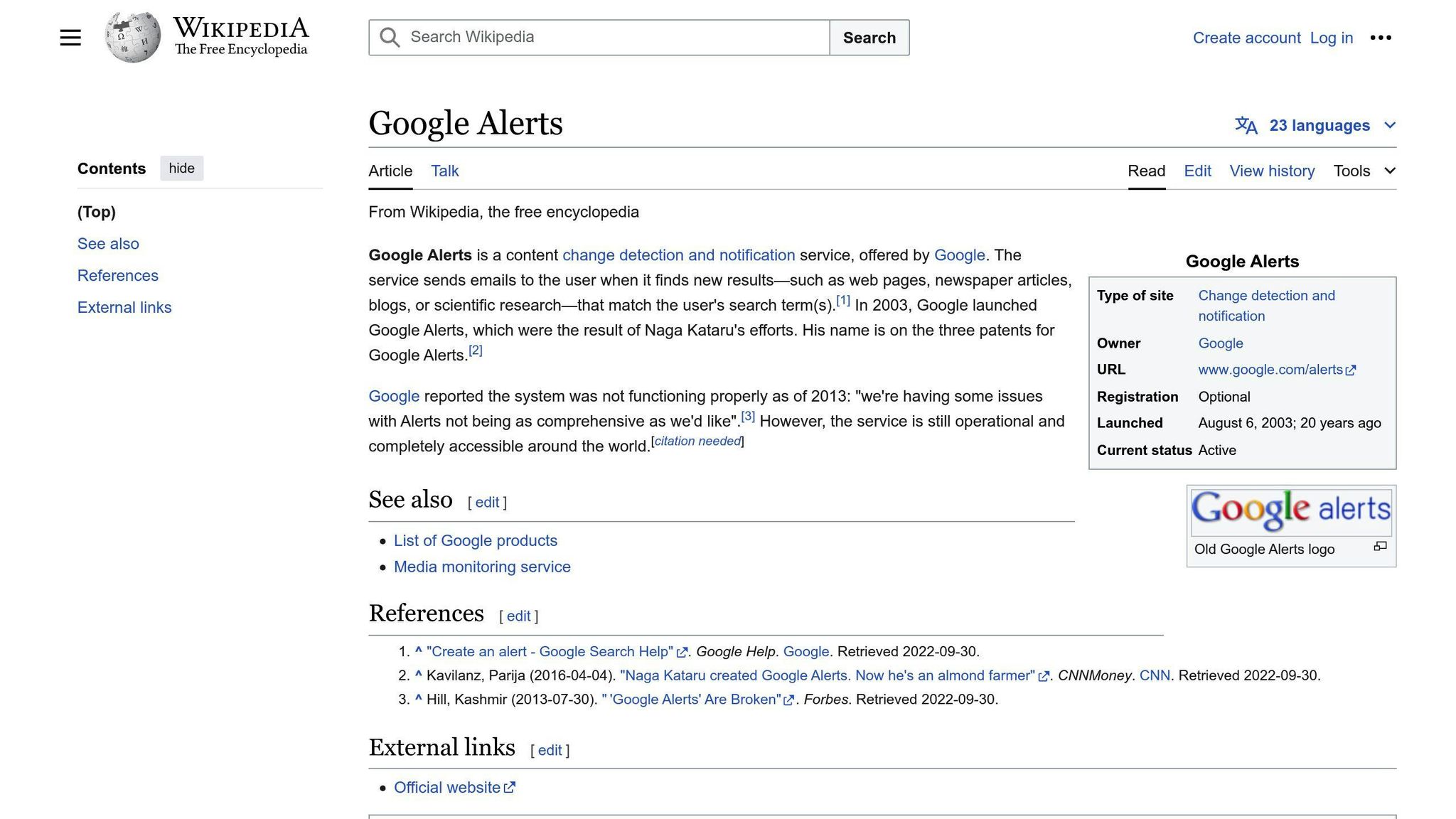
Google Alerts can email you when new results for a selected topic appear in Google Search. It can help surface possible matches, but it should not be treated as a complete search of the web or proof that a result is an unauthorized copy. See Google’s instructions for creating an alert.
How to Set Up Google Alerts
To set up an alert:
- Open Google Alerts and enter a distinctive phrase, such as your ebook’s title.
- Choose the sources, language, region, frequency, and number of results that suit your needs.
- Create the alert, then review each result to confirm it is a genuine match before taking action.
Benefits of Google Alerts
By using Google Alerts, you can:
- Surface possible mentions of your ebook title or selected terms
- Provide leads to verify against your original files and ownership records
- Monitor online reviews and feedback about your ebook
- Stay up-to-date with industry news and trends related to your ebook’s topic
Review each result manually; an alert is a lead to check, not proof that a copy is unauthorized.
8. Deploy License Keys and Password Protection
Protecting your ebooks from piracy requires a multi-layered approach. One effective strategy is to deploy license keys and password protection. This adds an extra layer of security to your ebooks, making it more difficult for unauthorized users to access and share them.
How License Keys Work
Some distribution systems issue a license key or associate access with a reader account. Check whether the system limits devices or transfers, supports revoking or resetting access, and explains how legitimate buyers recover access. A key alone does not establish who is using a file or prevent a recipient from sharing it.
Benefits of License Keys
License keys offer several benefits:
| Benefit | Description |
|---|---|
| Improved security | License keys make it harder for unauthorized users to access your ebooks. |
| Access records | Some services provide download or access activity; confirm what their records show before relying on them to investigate a leak. |
| Customizable access | You can set limits on the number of devices or users that can access the ebook. |
Password Protection
A password can control initial access, but shared credentials or a copied file can weaken that control. Use it only as one part of a distribution plan, and provide credentials to authorized readers through a suitable channel.
Combining License Keys and Password Protection
Combining a key and a password does not automatically create two-factor authentication: both may be credentials of the same type. Choose controls based on the platform’s actual access rules and the amount of friction readers can reasonably accept.
License keys and passwords may limit access in some delivery systems, but they are not a substitute for monitoring, verifying suspected copies, and having a response process.
9. Register and Enforce Copyright and Trademarks
Copyright and trademark rules depend on the jurisdiction and protect different things: copyright concerns the book’s expression, while trademarks concern brand identifiers. In the United States, copyright generally exists once an original work is created and fixed, but registration is required before suing over infringement of a U.S. work. Check the U.S. Copyright Office’s guidance for the details.
Why Register a Copyright?
Registering a copyright provides several benefits:
| Benefit | Description |
|---|---|
| Public record | U.S. registration places copyright facts on the public record; its evidentiary and enforcement effects depend on the circumstances and timing. |
| Statutory damages | For qualifying U.S. works, a court may award statutory damages; the cap for willful infringement is $150,000 per work. Eligibility and registration-timing requirements apply. |
| Injunctions | A court can issue an injunction to stop the infringer from continuing to distribute or sell your work. |
How to Register a Copyright
For U.S. works, registration is required before filing a copyright infringement lawsuit. Use the U.S. Copyright Office to identify the appropriate application; its processing-time estimates and fee schedule can help when planning a filing.
Enforcing Trademarks
Trademarks protect your brand identity, including logos, slogans, and other distinctive marks. Enforcing trademarks is essential to prevent others from using similar marks that could confuse customers or dilute your brand.
To enforce a trademark, you can:
- Send a cease and desist letter to the infringer
- File a lawsuit for trademark infringement
- Use the International Trademark System to protect your mark globally
By registering and enforcing copyright and trademarks, you can protect your intellectual property and prevent others from profiting from your work without permission.
10. Actively Monitor and Remove Unauthorized Content
Monitoring can surface possible copies, but a match is a lead to check, not proof of infringement. Confirm that the material is yours and preserve the page address and relevant evidence before contacting a platform or host.
Track Pirated Content
You can use the following methods to track pirated content:
| Method | Description |
|---|---|
| Google Alerts | Can email new Google Search results for selected terms; it may not surface every possible copy. |
| Web scraping tools | Use web scraping tools to check selected sources for possible matches; coverage and results vary. |
| Piracy monitoring services | These may surface possible matches; verify each result against your original before making a claim. |
Remove Pirated Content
After verifying a suspected copy, use the relevant platform’s or host’s reporting process and keep a record of what you submitted. In the United States, a DMCA notice must include specified information; the U.S. Copyright Office explains the notice-and-takedown process. A notice requests review under that process; it does not guarantee immediate removal. For details, see this guide to copyright takedown notices.
Monitoring and reporting can help you respond to suspected unauthorized copies, but each match needs verification and outcomes depend on the platform or host’s process.
Conclusion
A practical ebook protection plan combines controls that suit the delivery method with a way to verify and respond to suspected leaks. Review the trade-offs with legitimate readers before adding restrictions.
Why Protection Matters
Ebook piracy can result in significant financial losses for authors and publishers. It’s essential to take proactive measures to prevent unauthorized copying and distribution.
Staying Ahead of Piracy
By staying informed and taking action to protect their ebooks, authors and publishers can minimize the risk of piracy and ensure the success of their digital publishing endeavors.
Remember, protecting ebooks from piracy is an ongoing process. Stay vigilant, and take the necessary steps to safeguard your intellectual property.
FAQs
How to prevent ebook piracy?
To reduce casual sharing and prepare to respond to suspected leaks, combine controls suited to your delivery method with a way to verify and report possible copies:
| Strategy | Description |
|---|---|
| DRM services | Control how users can share and distribute ebooks |
| Watermarking | Embed a visible or invisible watermark into your ebook |
| Copyright notices | State the rights holder and terms of use; a notice does not replace registration or enforcement steps. |
| PDF format | PDF is a format, not protection by itself; use supported access controls only when they suit your readers. |
| Editing restrictions | Limit editing and copying of ebook content |
| Password protection | Secure ebooks with passwords |
| Google Alerts | Find new Google Search results for selected terms; results need manual review. |
| License keys | Deploy license keys and password protection |
| Copyright and trademark registration | Register and enforce copyright and trademarks |
| Active monitoring | Look for possible copies, verify them, and report through an appropriate process. |
How to sell an ebook that can’t be shared?
No file can be guaranteed impossible to share. These options can add access controls or friction, but cannot promise that a copy will never circulate.
| Method | Description |
|---|---|
| Watermarking | Add watermarks to ebooks |
| DRM protection | Acquire DRM protection for ebooks |
| PDF or ePub format | Convert files into PDF or ePub formats |
| Password protection | Password protect ebooks |
| User accounts | Get customers to establish user accounts |
| Credible services | Use credible services to distribute ebooks |
| IP address limitation | Limit downloads based on IP address |
| Copyright registration | Copyright generally arises when an original work is created and fixed; U.S. registration is separate and required before suing over a U.S. work. See the U.S. Copyright Office. |
How to protect your ebook from piracy?
Match the controls to how you distribute the book, and remember that they can limit some uses but cannot guarantee that copying will not happen:
| Strategy | Description |
|---|---|
| DRM services | Control how users can share and distribute ebooks |
| Watermarking | Embed a visible or invisible watermark into your ebook |
| Copyright notices | State the rights holder and terms of use; a notice does not replace registration or enforcement steps. |
| PDF format | PDF is a format, not protection by itself; use supported access controls only when they suit your readers. |
| Editing restrictions | Limit editing and copying of ebook content |
| Password protection | Secure ebooks with passwords |
| Google Alerts | Find new Google Search results for selected terms; results need manual review. |
| License keys | Deploy license keys and password protection |
| Copyright and trademark registration | Register and enforce copyright and trademarks |
| Active monitoring | Look for possible copies, verify them, and report through an appropriate process. |
Can an ebook be pirated?
Yes, an ebook can be pirated. Pirated ebooks can be found, sold, or downloaded for free through various online platforms.
How to stop people from stealing your ebook?
To stop people from stealing your ebook, consider the following methods:
| Method | Description |
|---|---|
| Convert to PDF | Use PDF only when its format and configured access controls fit the distribution setup. |
| DRM software | Acquire DRM software |
| Digital watermarks | Add digital watermarks to your ebooks |
| Copyright notice | Publish an official copyright notice |
| Registration | Register your ebooks |
| Password protection | Password protect ebooks |
| IP address limitation | Limit downloads based on IP address |
| Active monitoring | Look for possible copies, verify them, and report through an appropriate process. |